
A Faster, Smarter Way to Migrate From Microsoft SharePoint to Egnyte
For many organizations, migrating away from Microsoft SharePoint and OneDrive isn’t a question of if, but how. Years of project files, team sites, and personal data can make even well-planned transitions feel overwhelming.
Until now, administrators had to rely on a variety of workarounds, such as manual exports, PowerShell scripts, or costly third-party vendors, to move data safely while maintaining structure.That’s where Egnyte’s new native migration capability comes in.
Key Takeaways:
- Native SPO Integration: Migrate data directly from SharePoint Online (SPO) and OneDrive into Egnyte without third-party tools or complex scripts.
- Maintained Data Integrity: Preserve complex folder hierarchies and file paths automatically during large-scale transitions.
- Centralized Management: Use a guided, background-running workflow within Egnyte to map, execute, and monitor your migration progress.
We’ve Simplified SharePoint-to-Egnyte Migration
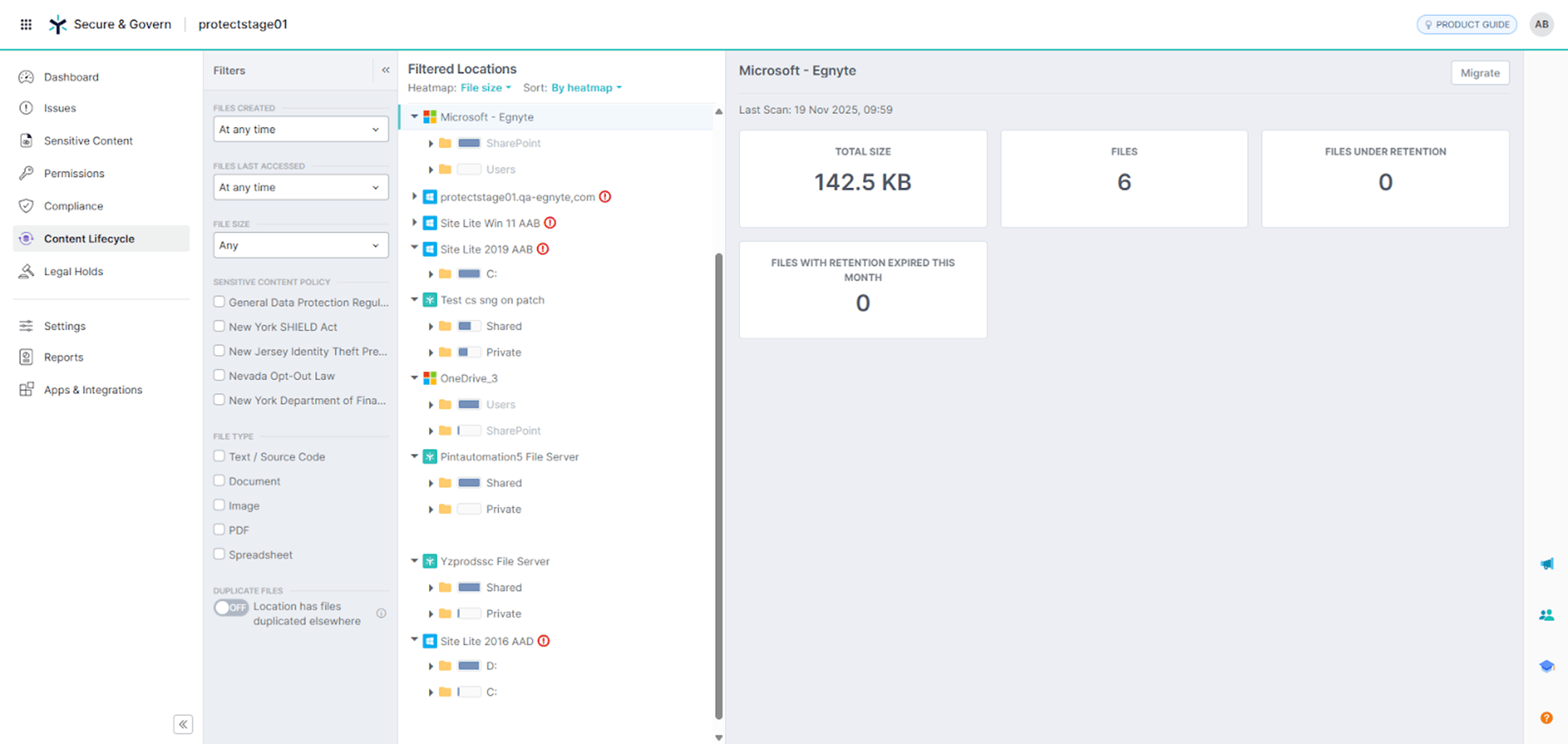
Egnyte now offers a native migration capability that lets administrators move data directly from SharePoint Online (SPO) and OneDrive into Egnyte—quickly, securely, and at scale.
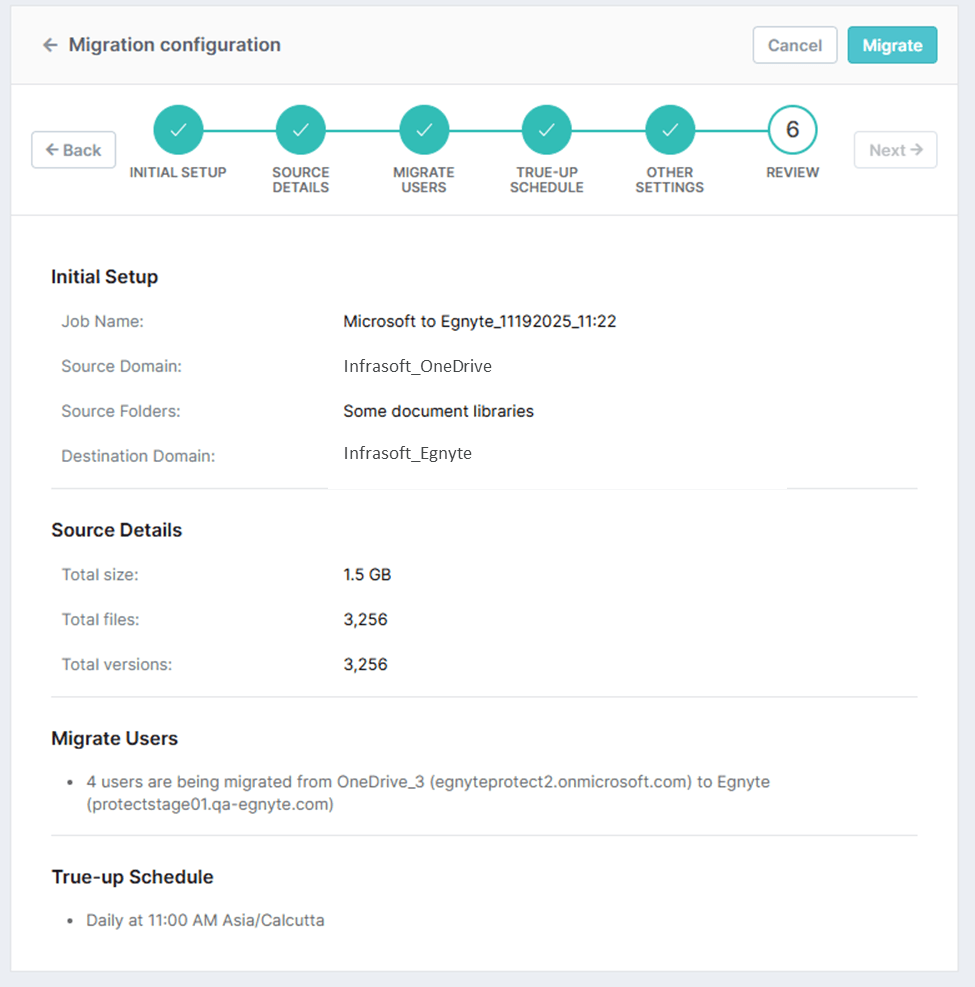
Instead of exporting data manually or relying on external tools, administrators can now manage migrations directly inside Egnyte. A guided workflow walks you through setup, mapping, and execution—while migrations run in the background.
With SharePoint-to-Egnyte Migration, administrators can:
- Connect SharePoint Online as a content source in Egnyte
- Select SharePoint sites, portals, or individual user drives for migration
- Map libraries and folders directly to Egnyte paths
- Run and monitor migrations in the background
- Migrate large data sets reliably, maintaining structure and hierarchy
Why SharePoint Migrations Are So Challenging
Ask any IT administrator about SharePoint migrations, and you’ll likely hear the same themes: time-consuming exports, brittle scripts, and uncertainty around data integrity.
SharePoint migrations are notoriously complex and cumbersome. Admins often spend weeks exporting data, validating file paths, and manually rebuilding folder structures in Egnyte. Some even bring in third-party migration vendors—adding cost, coordination work, and risk.
With this new native capability, much of the migration work is handled automatically. It’s fully integrated into Egnyte and designed to support large-scale moves, so admins can spend less time on logistics and more time helping teams stay productive. This feature works for both organization-wide SharePoint sites and individual OneDrive folders, giving administrators flexibility and control over when and how content is migrated.
Simple Migrations, Built for Scale
This capability lays the groundwork for how Egnyte will continue supporting customers as they transition from Microsoft ecosystems.
For administrators, this means fewer manual steps and less risk. For organizations, it enables faster, more secure collaboration without disrupting teams during the transition. And for Egnyte, it’s a major milestone in delivering frictionless, scalable migration experiences.
Considering Moving Away From SharePoint?
Learn more in our Helpdesk article or reach out to your Egnyte representative to understand how native migration can fit into your transition plan.